


Standing in a queue outside a government office, clutching a folder of photocopies, waiting your turn to apply for a caste certificate or check the status of a land record — for years, this was the default experience of interacting with government departments in India. Andhra Pradesh has been working to change that picture through the AP Seva Portal, the state’s unified e-governance platform that brings hundreds of citizen services onto a single digital window.
Formerly known as MeeSeva, the portal has evolved into a broader digital ecosystem connecting citizens directly with 35-plus government departments. Understanding how it works — and how to make the most of it — can save residents of Andhra Pradesh significant time, money, and frustration.
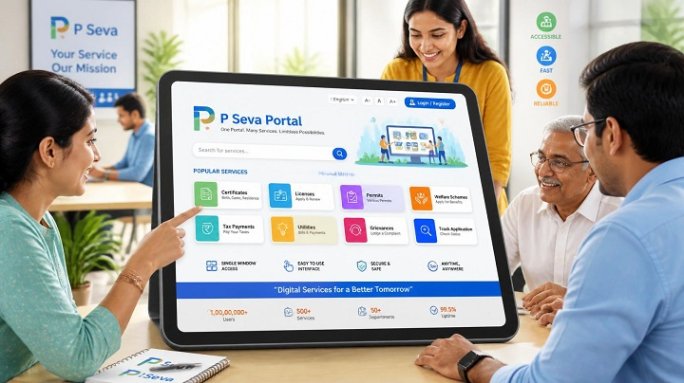
Table of Contents
What Exactly Is the AP Seva Portal?
The AP Seva Portal is Andhra Pradesh’s answer to the fragmented, office-by-office model of public service delivery. Instead of visiting the Revenue Department for an income certificate, a separate RTA office for a driving licence, and yet another counter for utility bill payments, citizens can now access these services from one online destination.
The platform supports both Government-to-Citizen (G2C) and Government-to-Business (G2B) transactions, meaning it isn’t just for individuals filing personal paperwork — businesses use it too, for approvals, licences, and compliance-related filings. Millions of transactions pass through the portal every month, making it one of the more heavily used state e-governance systems in the country.
From MeeSeva to AP Seva: A Rebranding With Purpose
Long-time residents of Andhra Pradesh will likely remember the portal by its earlier name, MeeSeva — a Telugu phrase roughly meaning “at your service.” That branding stuck for years and became so familiar that many people still search for “MeeSeva” out of habit. The rebrand to AP Seva Portal reflects the state’s push to integrate this system with newer initiatives, particularly the Grama and Ward Sachivalayam network — the village and ward secretariats that bring administrative staff closer to local communities.
Importantly, the rebranding hasn’t broken continuity. Services that were previously available under MeeSeva remain accessible; only the interface and integration layer have been modernized.
What Services Are Available
The breadth of services on the AP Seva Portal is one of its biggest draws. Broadly, they fall into a few categories:
Certificates and documentation — income, caste, residence, birth, and death certificates can be applied for and, in many cases, downloaded directly once approved.
Land and property records — services like Adangal, 1-B, and Field Measurement Book (FMB) extracts give citizens access to revenue land records. Two specialised services worth knowing about are Bhuseva, which digitizes land record access, and Bhudaar, a unique identification number assigned to land parcels for precise property identification. Anyone buying property or applying for a mortgage in the state will likely encounter these tools during due diligence.
Registration and stamps — Encumbrance Certificates (EC) and document search functions help buyers and lenders verify a property’s legal history before a transaction closes.
Welfare and pension schemes — eligibility checks, application status, and payment tracking for state welfare programmes are integrated into the same dashboard citizens use for certificates.
Transport services — driving licence applications, renewals, and status checks are handled through the RTA-linked modules.
Utility payments — routine bill payments that once required a trip to a specific counter can be completed online.
This range means the portal isn’t a niche tool for one type of transaction; it’s designed to be a genuine front door to state government services.
Registering and Logging In
Getting started on the AP Seva Portal follows a fairly standard e-governance registration flow. New users typically need to provide an Aadhaar number, a working mobile number, an email address, and basic residential details to create an account. Once registered, citizens can log in to a personal dashboard that displays available services, application history, and current request statuses.
For services that require physical document verification or biometric confirmation, the portal usually directs users to their nearest Common Service Centre (CSC) or Grama/Ward Sachivalayam office — a reminder that full digitisation of every service isn’t yet complete, but the number of purely online transactions continues to grow.
How to Login to the AP Seva Portal
Once registration is complete, logging back in is meant to be quick. Here’s the general process citizens can expect:
- Visit the official portal. Go to the official AP Seva Portal / MeeSeva website rather than a search result that merely looks similar. Bookmarking the correct URL after your first visit is a good habit, since several unofficial lookalike sites exist.
- Choose the correct login type. The homepage typically separates users into categories such as Citizen Login, Employee Login, and HRMS Login. Most individuals applying for certificates or checking application status should select Citizen Login.
- Enter your credentials. This usually means the username or registered mobile number created at sign-up, along with your password.
- Complete OTP or captcha verification. Many government portals add a one-time password sent to your registered mobile number, or a captcha step, as an extra layer of security before granting access.
- Access your dashboard. Once logged in, you’ll land on a personal dashboard showing available services, your application history, and status trackers for anything currently in process.
If You Forget Your Password or Username
Most citizen portals include a “Forgot Password” or “Forgot Username” link on the login page. Selecting this typically prompts you to verify your identity using your registered mobile number or Aadhaar number, after which an OTP is sent to reset your credentials. Keeping your mobile number updated on the portal is important — if it’s outdated, password recovery can become a genuine hassle, sometimes requiring an in-person visit to a Grama/Ward Sachivalayam office to update your details first.
Logging In Without Registering (Guest Access)
For certain functions — such as checking application status using only a reference number, or verifying a certificate’s authenticity — full registration isn’t always necessary. These “quick check” tools are usually available directly from the homepage without requiring a login, which is convenient if you only need to confirm where an application stands rather than manage an account long-term.
A Few Login Tips
- Use a personal device when possible. Since login often involves Aadhaar-linked information, avoid logging in from shared or public computers where credentials could be saved or exposed.
- Double-check the URL. Government portal phishing attempts often use near-identical domain names. If a site asks for payment simply to log in or looks unusually cluttered with ads, treat it with suspicion.
- Keep your registered mobile number active. Since OTP verification depends on it, a deactivated SIM can lock you out until you update your details through official channels.
Why the Portal Matters Beyond Convenience
It’s tempting to frame platforms like AP Seva purely in terms of convenience — no more standing in line, fewer wasted afternoons. But the deeper value lies in a few other areas:
Reduced friction for rural citizens. By tying the portal to the Grama and Ward Sachivalayam network, the state has extended digital access into areas that previously depended entirely on district or mandal-level offices, which could be a long and costly trip for many families.
Transparency in tracking. Applications that once disappeared into a bureaucratic black box can now be tracked with a reference number, giving citizens a clearer sense of where their request stands and reducing the informal “follow-up visits” that used to be part of getting anything done.
A foundation for further digitisation. Land record services like Bhuseva and Bhudaar hint at where this is heading — toward more precise, verifiable, and fraud-resistant government data that benefits not just individual citizens but also banks, businesses, and other institutions that rely on accurate public records.
A Word of Caution
As with any popular government portal, the AP Seva Portal’s rise in visibility has attracted a number of unofficial websites that mimic its branding or offer to “help” with applications for a fee. Some of these sites are informational and harmless; others may collect personal details without proper safeguards. Citizens should stick to verified government domains when entering Aadhaar numbers or other sensitive information, and treat any third-party site asking for payment to “process” a government application with scepticism.
The Road Ahead
Digital governance platforms succeed or fail based on adoption, and Andhra Pradesh’s numbers suggest the AP Seva Portal has cleared that early hurdle. The bigger challenge now is depth — expanding the list of services that can be completed entirely online without a follow-up office visit, and making sure rural and older citizens aren’t left behind by the shift to digital-first service delivery.
For residents of Andhra Pradesh, the practical takeaway is simple: before planning a trip to a government office, it’s worth checking whether the AP Seva Portal can handle the task from a phone or computer instead. In a growing number of cases, it can.